
Core pages first
Publish the main event guide while deeper pages continue through review.
Event microsite preview and publishing is the final go-live control inside Event Growth Studio, not the content intake or review process itself. It lets teams inspect the actual digital event guide before selected approved pages go live.
Structured for discovery. Assisted by AI. Approved by your team.
Conceptual workflow
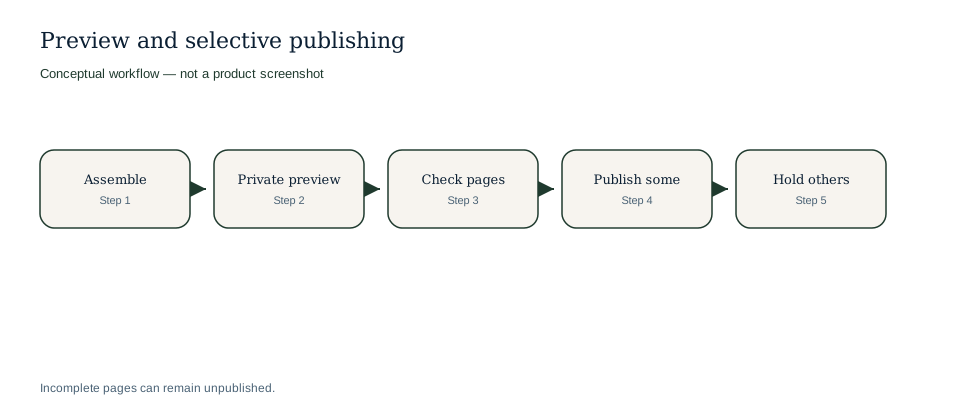
Preview first; publish only approved pages.
Conceptual workflow
Conceptual workflow. Sanitised demo UI captures remain a follow-up once a demo session is available.
Private preview lets reviewers experience the digital event guide as it will behave when published. They can inspect page structure, navigation, content completeness, source-informed copy and calls to action before a page becomes public.
Example only: page-level publishing can release ready information while incomplete areas stay private.
| Page or section | Preview check | Publishing decision |
|---|---|---|
| Main event page with approved summary and ticket link. | CTA points to official checkout and overview copy is approved. | Publish first as the public discovery entry point. |
| Programme page with two unconfirmed session times. | Source library shows stale schedule notes. | Keep private and return to review. |
| Venue access FAQ approved by operations. | Gate, travel and accessibility details match source notes. | Publish with the visitor information page. |
Page or section
Main event page with approved summary and ticket link.
Preview check
CTA points to official checkout and overview copy is approved.
Publishing decision
Publish first as the public discovery entry point.
Page or section
Programme page with two unconfirmed session times.
Preview check
Source library shows stale schedule notes.
Publishing decision
Keep private and return to review.
Page or section
Venue access FAQ approved by operations.
Preview check
Gate, travel and accessibility details match source notes.
Publishing decision
Publish with the visitor information page.
Publishing follows approval; preview helps teams decide which selected pages are ready.
Review the page inside the real digital event guide environment before public release.
Confirm AI-assisted copy against source material, ticket facts and owner notes.
Move the page to an approved state only after human review.
Publish the selected approved page without forcing every other guide page live.
When facts change, bring affected pages back through review before republishing.
Digital event guides often need phased launches as programme, partner and visitor information becomes ready.
Publish the main event guide while deeper pages continue through review.
Hold sponsor, exhibitor, optional public Media pages or restricted Press Room access until owners approve their content and audience.
Publish travel, venue and accessibility guidance when operational details are confirmed.
Review changed content before republishing so stale details do not quietly drift public.
Publishing controls protect content readiness, but they do not turn the CMS into a commerce platform.
Preview and publishing turns approved Event Growth Studio work into the public event destination without bypassing the rest of the workflow.
Explore connected Event Growth Studio workflows without leaving the creation and CMS cluster.
No. The preview is intended to show the real private digital event guide experience before a page is published.
Yes. Page-level publishing allows selected approved pages to go live independently.
No. Human approval is required before publication.
No. Published microsite pages can link to ticketing paths, but checkout, payments, orders, inventory and scanning remain elsewhere.
Yes. Changed or stale content should return to review before republishing.
Check the actual microsite experience before approved pages become public.
Release ready pages while incomplete programme, partner or visitor sections stay in draft or review.
Keep the public event-site model, discoverability work and official ticketing journey connected to the same approved guide.
Preview before release.
Publish page by page.