
Workflow 1
Plan the event
Set scope, dates, venues, suppliers, and owners so every team starts from the same plan — not separate files.
Use this page to map EventSuite modules — ticketing, planning, staffing, ingress, production ops, communications, and reporting — before you jump to a category or product page.
This page is the module architecture hub. For the EventSuite overview, start from the homepage. For show-day control, see event operations platform. For planning workflows, see event management software.
Illustrative product view · Example data
EventSuite platform overview
Modules
6
Connected
Events
24
In flight
Teams
42
Assigned
Readiness
91%
On track
Show-day readiness
EventSuite is a connected module stack for live events — not a single feature or checkout page.
Use this page to see how planning, ticketing, workforce, accreditation, suppliers, ingress, communications, venues, and analytics fit together before you choose a category page.
Each module handles a distinct job while sharing the same event plan and live context.
Commercial overview for show-day control, teams, suppliers, gates, and live workflows. For teams evaluating the full-stack category before choosing modules.
Explore event operations platformPlan events, budgets, suppliers, tasks, and delivery timelines. For teams starting with planning and coordination.
Explore event managementSell tickets, manage orders, scan guests, and keep sales connected to show day. For organisers who own demand and need admissions that scale.
Explore ticketingReach your audience, run campaigns, and keep communications tied to ticket sales. For teams reaching ticket buyers before and after launch.
Explore marketingTrack sales, attendance, and outcomes with reporting that stays clear for live teams. For operators who need decisions during and after the event.
Explore analyticsPlan shifts, roles, check-in visibility, and crew readiness connected to accreditation and show day. For teams coordinating staff, volunteers, and supplier crews before live deployment.
Explore workforce managementReview submissions, issue credentials, and track access readiness for crew, suppliers, and media. For teams governing operational access before controlled areas open.
Explore accreditationRun enquiries, bookings, spaces, and handover into workforce, accreditation, and reporting. For venue teams connecting hire workflows to live delivery.
Explore venue managementMaintain approved vendor records, renewals, and readiness for reuse across event programmes. For teams coordinating suppliers after sourcing and before show-day activation.
Explore supplier managementIssue quote requests, collect structured responses, and compare supplier offers side by side. For buyers running structured quote rounds before award decisions.
Explore RFQ softwareRun sourcing packages, document approvals, and hand awarded suppliers into delivery. For teams evaluating controlled buying workflows across the event plan.
Explore procurementFrom first plan to last scan — see the flow buyers care about.
Workflow 1
Set scope, dates, venues, suppliers, and owners so every team starts from the same plan — not separate files.
Workflow 2
Launch ticketing, track orders, and align staffing and credentials before guests arrive.
Workflow 3
Scan guests, handle box-office issues, and give live teams visibility at the gate and on site.
Workflow 4
See sales, attendance, and outcomes in one place so the next event launches with less guesswork.
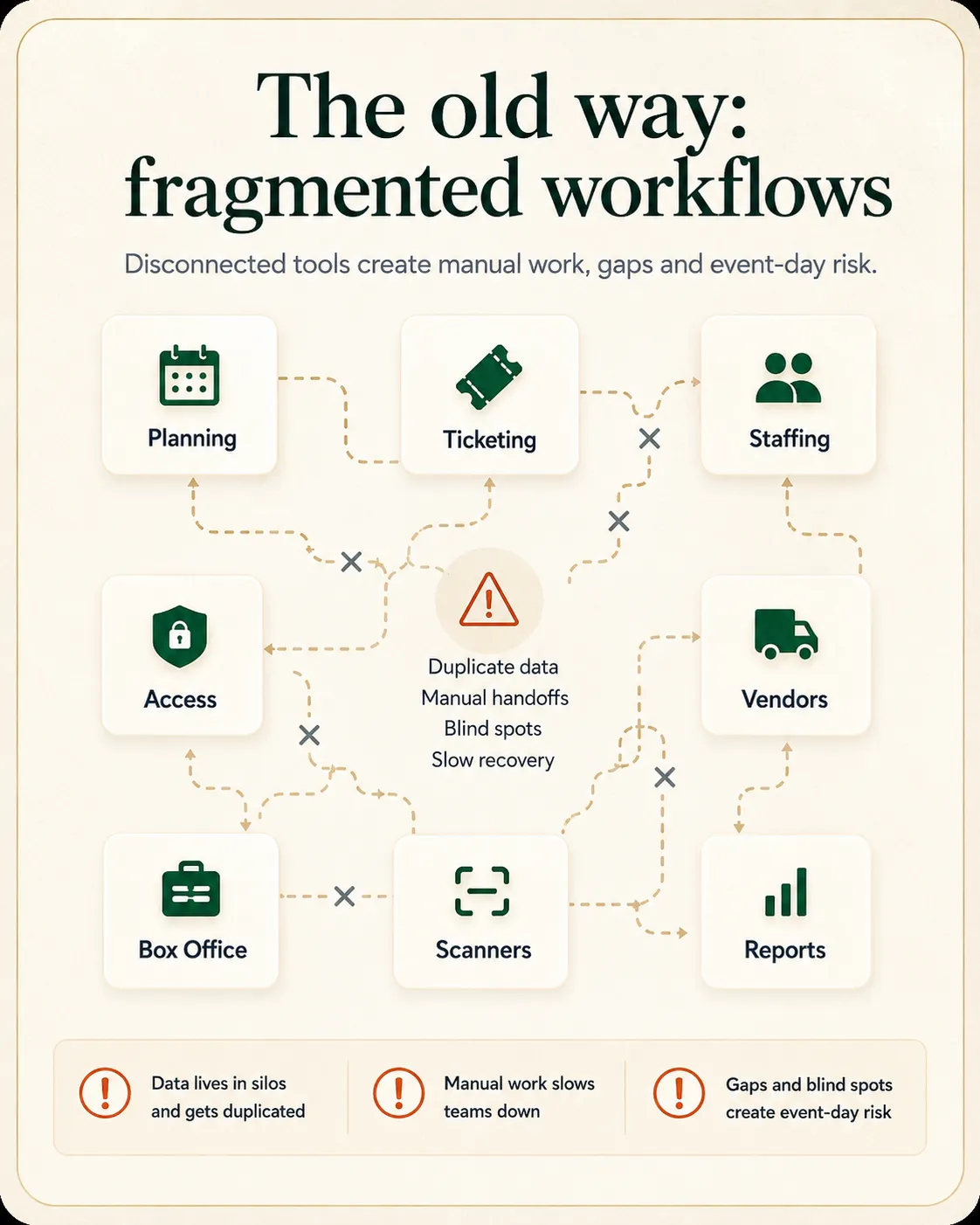
Most event teams hit a wall when ticket sales, crew schedules, suppliers, and gate decisions live in separate apps.
Promoters juggling ticket sales, crew, suppliers, and gate decisions across too many apps. Venues running recurring calendars where bookings, admissions, and reporting should match.
Festivals coordinating vendors, gates, and multi-day teams under time pressure. Conference teams balancing registration, sessions, staff, and sponsor access before doors open.
Promoters, venues, festivals, and conferences use EventSuite when planning and show day need to stay aligned.
Keep planning, ticket sales, crew, and show-day decisions together when you already bring the audience.
Run ticketed and private events with clearer bookings, admissions, and front-of-house coordination.
Coordinate high-volume gates, vendors, and multi-team production without losing visibility.
Align registration, sessions, staffing, and access before and during live delivery.
Organiser-owned ticketing, crew coverage, and clearer show-day visibility.
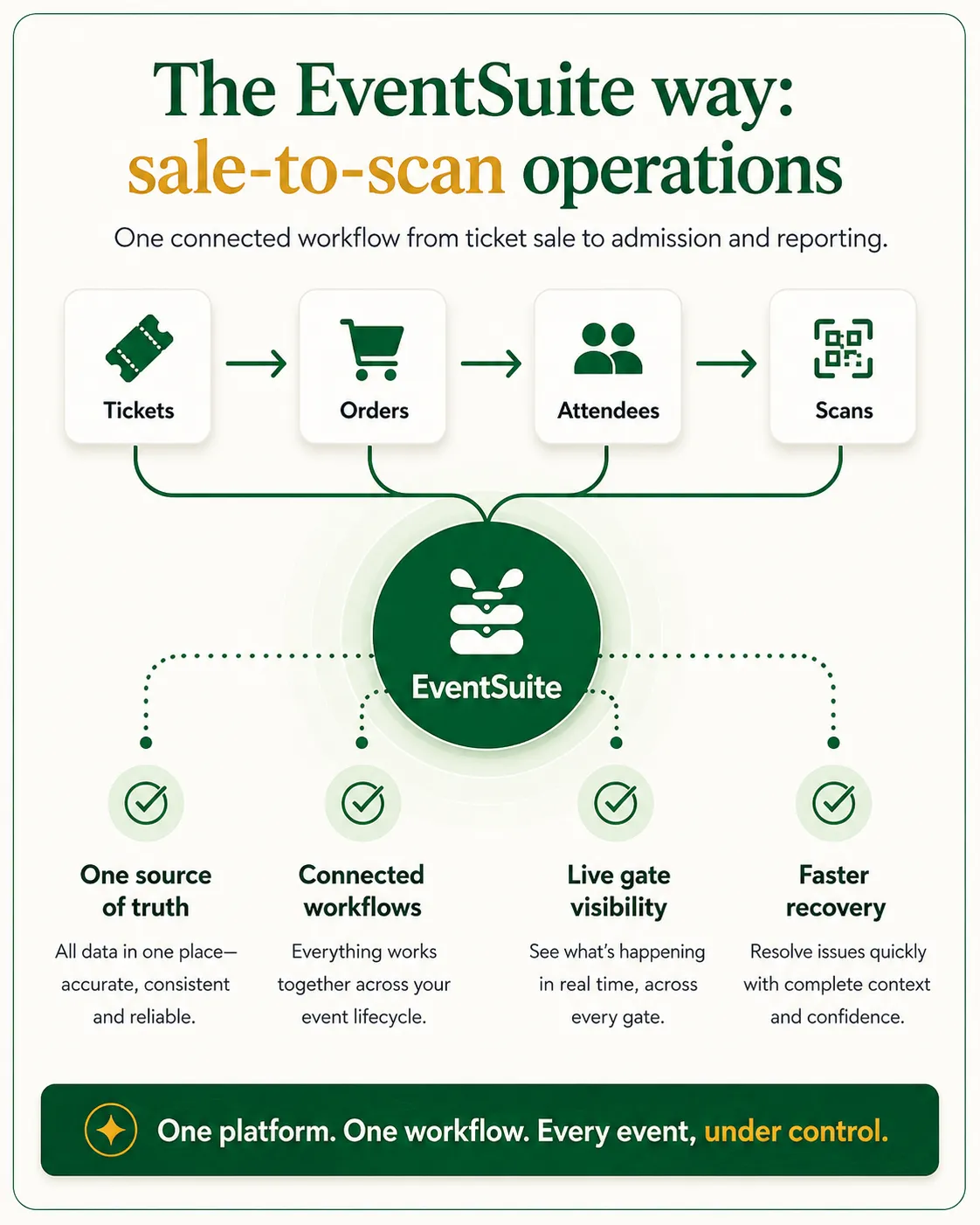
Ticket orders, guest lists, and gate tools share the same event context so teams stop re-entering details.
Sell through your brand and channels with guest data and admissions under your control.
Give live teams attendance, orders, and issue context when queues and exceptions spike.
Most teams feel the gap when ticket sales live in one app, crew schedules in another, and gate calls happen in group chats.
Jump to the module that matches your next decision.
Event Growth Studio
Create, govern, publish and promote complete event microsites from trusted facts — distinct from communications campaigns.
Event operations platform
See how planning, ticketing, staffing, and show day fit together.
Event ticketing platform
Sell tickets, scan guests, and keep admissions connected to your event.
Event management software
Plan events, suppliers, and delivery timelines in one workspace.
Venue management software
Venue-side operations branch for bookings, workforce, and access handoffs.
Event workforce management
Staffing, shifts, and check-in visibility within the operations module stack.
Event accreditation system
Credential readiness and access control within the operations module stack.
Event analytics platform
Post-event and live-ops visibility across connected modules.
EventSuite helps you plan events, sell tickets, coordinate teams and suppliers, run admissions, and review results on the same operations stack instead of stitching together separate tools.
No. Ticketing is a core module, but many teams also use EventSuite for planning, staffing, accreditation, venue workflows, marketing, and reporting.
Promoters, venues, festivals, conferences, and event operations teams that need planning, sales, and show-day work to stay connected.
Go straight to the event ticketing platform page for sales, admissions, payouts, and gate workflows — or book a ticketing demo if you want a guided walkthrough.
Use venue management software when enquiries, bookings, and hire handover are the evaluation focus. Use event workforce management and event accreditation system when shift coverage, credentials, and access readiness dominate. Use event analytics platform when reporting and debrief are the primary question.
Use event RFQ software when structured quote rounds and response comparison are the focus. Use event procurement software when sourcing packages, approvals, and award handoff across the event plan matter. Use event supplier management software after the award to maintain approved vendor records and readiness for reuse.
Book a demo to see the platform with your event type in mind, or start setup to share your modules and launch timeline before a conversation.
Next step
Book a demo to walk through ticketing, crew, suppliers, and show-day reporting — or start setup to share what you are building.