
Programme and schedule files
PDFs, spreadsheets, agenda notes and session descriptions that can populate programme and schedule pages.
Event content intake is the preparation layer inside Event Growth Studio, not the full parent workflow or a publishing step. It converts programmes, biographies, venue documents, FAQs, partner materials and media into trusted source material for a complete digital event guide.
Structured for discovery. Assisted by AI. Approved by your team.
Conceptual workflow
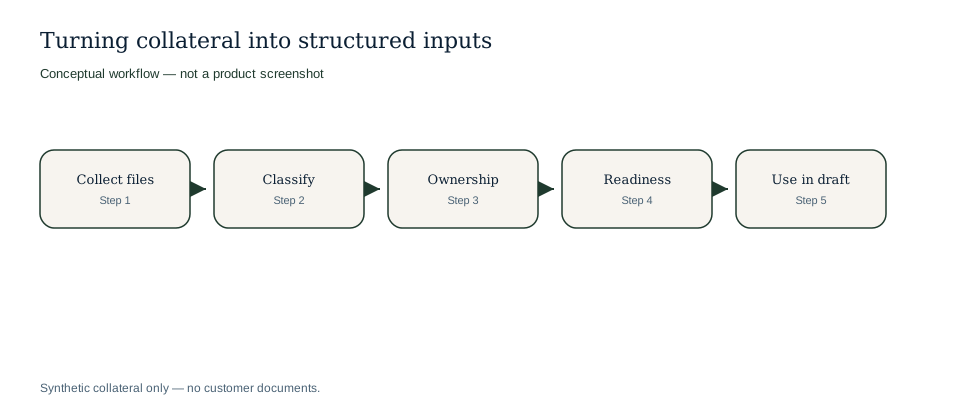
Synthetic collateral intake — no customer documents.
Conceptual workflow
Conceptual workflow using synthetic Harbour Lights Festival materials only.
Events rarely start with a perfect CMS record. Intake brings scattered material into the guide content workflow.
PDFs, spreadsheets, agenda notes and session descriptions that can populate programme and schedule pages.
Speaker, performer, host, exhibitor and partner details that can support structured pages.
Travel notes, accessibility guidance, arrival instructions, food information, FAQs and practical audience details.
Launch copy, sponsor copy, media notes, imagery and promotional material that needs ownership and review.
Example only: intake records describe realistic organiser material and how it may be prepared before drafting.
| Collateral received | Intake structure added | What stays human-controlled |
|---|---|---|
| PDF programme with 38 sessions and three room names. | Programme source type, session fields, room references and missing speaker notes. | Final schedule accuracy and whether each session is ready to publish. |
| Venue accessibility document from operations. | Visitor guidance source, owner, freshness note and page suggestions. | Accessibility wording, current entrance details and operational approval. |
| Sponsor logo pack and paragraph submitted by a partner. | Partner source type, rights note, approval owner and related sponsor page. | Logo usage, claims, public placement and partner sign-off. |
Collateral received
PDF programme with 38 sessions and three room names.
Intake structure added
Programme source type, session fields, room references and missing speaker notes.
What stays human-controlled
Final schedule accuracy and whether each session is ready to publish.
Collateral received
Venue accessibility document from operations.
Intake structure added
Visitor guidance source, owner, freshness note and page suggestions.
What stays human-controlled
Accessibility wording, current entrance details and operational approval.
Collateral received
Sponsor logo pack and paragraph submitted by a partner.
Intake structure added
Partner source type, rights note, approval owner and related sponsor page.
What stays human-controlled
Logo usage, claims, public placement and partner sign-off.
Intake prepares source material before it enters the source library, AI assistant or structured guide editor.
Bring together the files, notes and submissions the event team already uses.
Identify whether the material describes programme, venue, tickets, FAQs, partners, media or visitor guidance.
Capture who supplied the material and who should approve its use.
Mark missing, uncertain or stale information before it feeds drafting.
Make prepared source material available for guided creation, purpose-built templates and section-level AI assistance.
The two capabilities work together but answer different operational questions.
Intake can make ticket-related facts visible to content teams, but Event Growth Studio does not become the checkout, inventory or availability authority. Ticket facts should remain read-only inputs from the authoritative system, then reviewers can confirm how they are referenced in page copy.
Intake is an early workflow layer that prepares the material later used across Event Growth Studio.
Explore connected Event Growth Studio workflows without leaving the creation and CMS cluster.
Teams can collect programmes, PDFs, briefs, biographies, venue documents, FAQs, sponsor copy, partner materials, media assets, campaign copy and visitor information.
No. Intake prepares material for source management, AI drafting and review. Publication still requires approved pages.
Intake collects and prepares material. The source library maintains governed records, ownership, provenance and stale warnings over time.
No. Ticket facts remain canonical in the ticketing source and are treated as read-only context for content work.
Bring fragmented event content together before AI drafting, review and publishing begin.
Feed the source library, section assistant and guided microsite workflow from the same prepared material.
Keep official ticketing, event-site structure and discovery outputs grounded in approved source inputs.
Structured before drafting.
Owned before publishing.