
You own the sale
Keep your brand, pricing, and guest data while selling general admission, timed entry, and supported session formats from one place.
EventSuite helps organisers sell tickets, manage orders, scan guests, and keep reporting connected without handing the buyer relationship to a marketplace. Explore ingress scanning and day-of-show support when you need more detail on live admissions.
Illustrative product view · Example data
Organiser-owned ticketing
On sale
8
Active events
Sold
18.6k
+18%
Scans
12.4k
Today
Recovery
96
Tickets resent
Sales to admissions
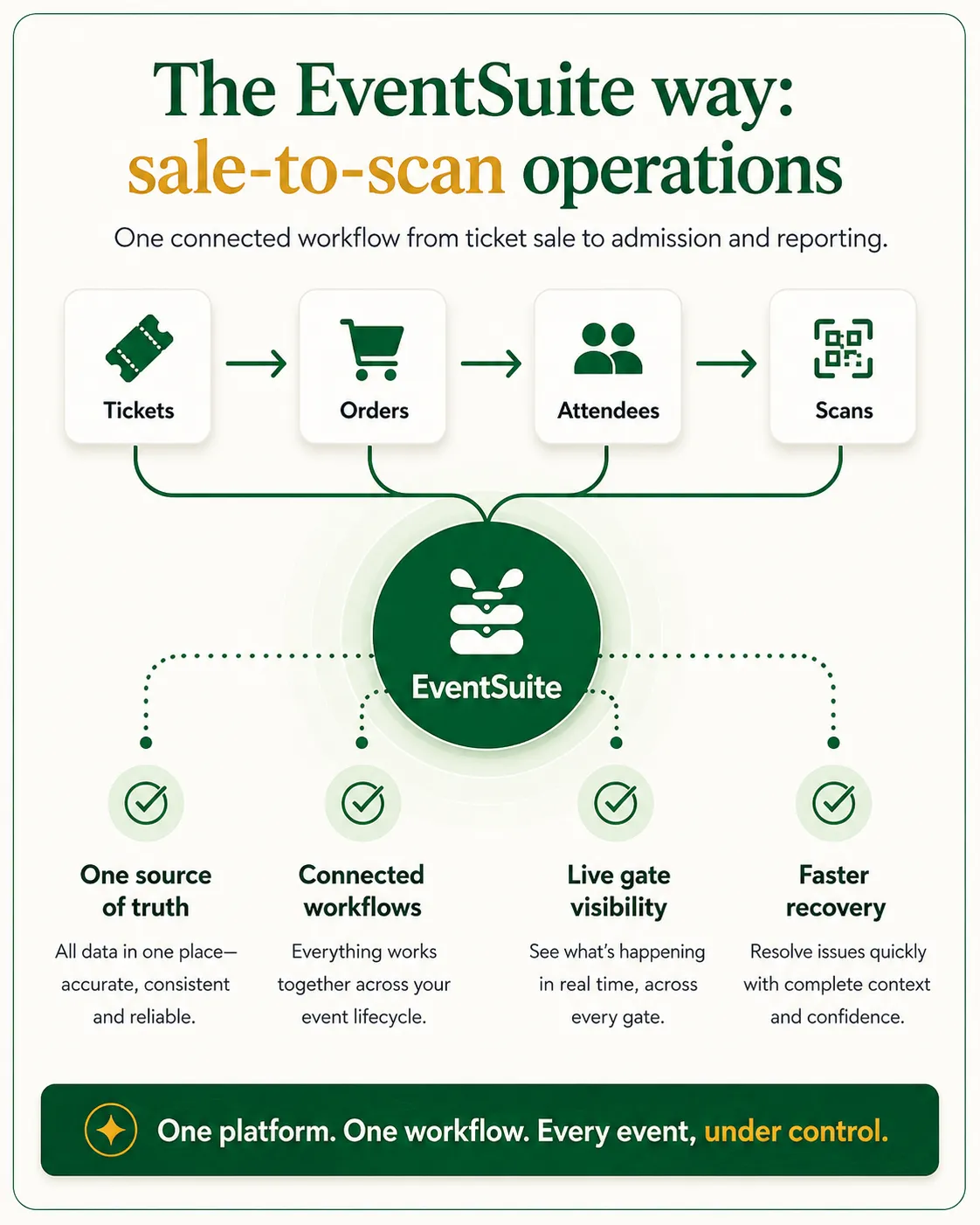
EventSuite ticketing helps organisers sell tickets online, manage orders and guest lists, control capacity, run admissions, and keep sales visible to gate and finance teams. It is designed for promoters, venues, festivals, and conferences that need organiser-owned sales connected to ingress, operator-assisted guest recovery, communications, reporting, and day-of-show operations — not marketplace checkout alone.
Keep your brand, pricing, and guest data while selling general admission, timed entry, and supported session formats from one place.
Outside South Africa, organisers receive direct payouts through Stripe Connect. EventSuite platform fees are from 2% excl. VAT. Stripe payment processing fees are charged separately.
Move from checkout to scanning, online guest recovery, and reporting without exporting lists into side tools.
Everyday selling and admissions use established EventSuite workflows. More complex commerce and onsite-sales formats are configured only for supported events.
Sell general-admission tickets, configure ticket tiers, fees and tax, route supported checkout through Stripe or Peach, and deliver transactional tickets.
Validate QR tickets, look up orders and guests, and use supervisor-controlled exception handling on enabled events.
Order, refund and check-in activity can be reviewed together. Stripe refunds are automated; Peach refunds are operator-assisted, and advanced settlement dashboards remain configuration-dependent.
Camping, parking, add-ons, extras and bundled entitlements are available for supported event formats after product and fulfilment review.
Walk-up and onsite-sales tools are available only where the event and operator configuration has been enabled.
Approved customer case study evidence is not yet available for this page.
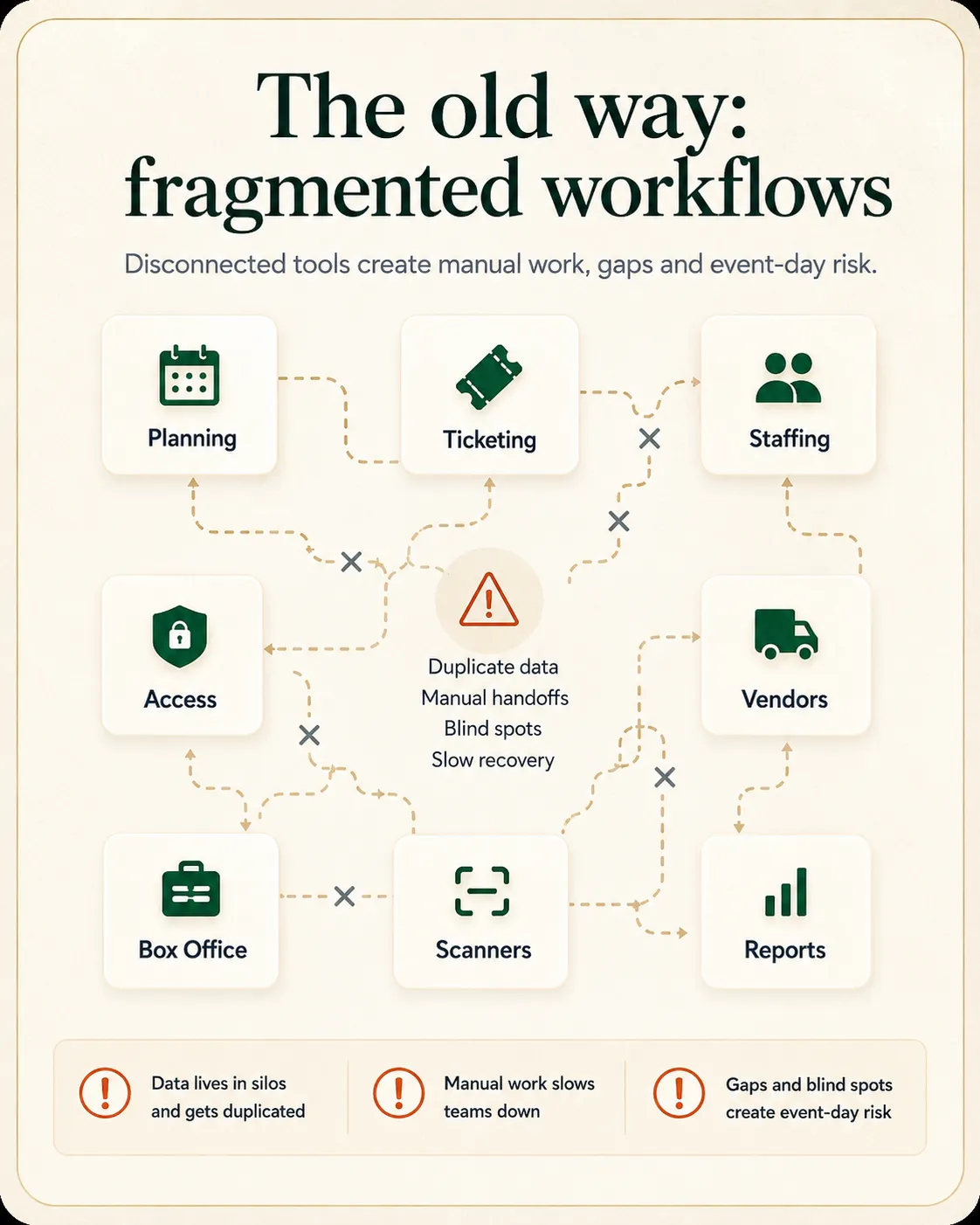
Most teams are not only comparing checkout. They need clarity on control, admissions, operational handoffs, and what happens before, during, and after the event.
Discovery platforms can help exposure, but organisers often lose brand control, guest data, and flexibility once sales go live.
Simple ticketing tools publish tickets but leave scanning, exceptions, guest recovery, and attendance reporting to manual workarounds.
Timed entry, sessions, and selected add-on formats become painful when supported buyer journeys split across separate purchase paths.
Finance and live teams need sales and check-in numbers together — not in exports that arrive after the crowd leaves.
Core product capabilities for planning, delivery, and reporting.
Sell general-admission tickets, configure ticket tiers, pricing, fees and promo codes, and process checkout through Stripe or Peach where supported.
Run timed entry, supported sessions and multi-day formats. Add-ons, camping, parking, extras and bundled entitlements are available for selected configurations.
Keep buyer and guest records, delivery status and order lookup together. Reissues are operator-assisted; Stripe refunds are automated while Peach refunds require operator assistance.
Validate QR tickets and use online manual fallback, order lookup, manual check-in and supervisor controls on enabled events. Network connectivity is required.
Review sales and attendance, fee and tax visibility, refunds, and settlement workflows. Advanced dashboard views are available only where enabled.
Practical steps teams take before, during, and after live delivery.
Set ticket types, capacity, pricing, buyer fields, and supported add-ons. Complex multi-product fulfilment requires configuration review before launch.
Export is not the plan. Guest lists, scan rules, lane design, and operator-assisted recovery paths should stay connected to the same order record before arrivals begin.
Scan tickets, triage guest issues, and use supported onsite-sales workflows where enabled while ingress and day-of-show teams share check-in visibility.
Finance, marketing, and operations review sales, attendance, refunds, and incident context without rebuilding numbers from separate tools.
Organisers usually compare ticketing on payout control, platform fees, issuing fees, and how well sales connect to show day.
EventSuite uses Stripe Connect so organisers receive funds directly. Platform fees are from 2% excl. VAT. Stripe payment processing fees are charged separately, and there are no ticket issuing fees in supported markets outside South Africa.
Move from ticketing into /pricing when you want the wider module picture — without losing product context.
Local commercial terms and examples live on the South Africa ticketing route so teams see the right market details.
Ticketing becomes more valuable when sales inform ingress, day-of-show support, communications, and reporting on the same event record. Explore event ingress and ticket scanning for gate workflows and day-of-show ticketing operations for live incident triage.
QR scanning and online manual fallback help teams manage queues and guest exceptions using order lookup, manual check-in and supervisor controls. Network connectivity is required.
Use order lookup, operator-assisted reissues and guest recovery at the venue. Walk-up or onsite-sales tools are available only for selected event configurations.
Keep sales totals, refunds, and checked-in numbers visible to the people actually running the gate and finance handoff.
Ticketing works best when sales, guest lists, admissions, and live teams share the same picture.
Built for teams running live events with connected sales, delivery, and reporting needs.
Sell through your channels while keeping brand, pricing, guest data, and gate tools under your control.
Support admissions, check-in, guest recovery, and selected onsite-sales workflows without a patchwork of gate-day exports.
Handle passes, sessions, scanners, and crew coordination, with camping and add-ons configured for supported festival formats.
Start here for organiser-owned sales. Then follow the workflow pages that match your buying question — ingress, day-of-show support, operations control, comparisons, or role-specific buyer pages.
Compare organiser-owned ticketing with marketplace-style models before you shortlist vendors.
ExploreRun gate scanning, lanes, access rules, and ingress reporting connected to ticket sales.
ExploreSupport admissions teams with structured ticket incident triage during live operations.
ExploreConnect ticket sales to planning, schedules, venues, and supplier coordination.
ExploreSee how ticketing fits planning, staffing, and show-day delivery end to end.
ExploreAlign public entry with staff, vendor, and media credentials when access rules matter.
ExploreContinue with the workflows most relevant to this product.
Festival ticketing management software
Evaluate festival ticketing where gates, campsites, vendors, and site teams need to stay aligned.
Conference registration management software
Focus on registration tiers, check-in, sponsor allocations, and delegate reporting.
Event accreditation system
Connect public ticket demand with credentials for staff, vendors, media, and contractors.
Event analytics platform
Connect ticketing and admissions to reporting after launch.
Practical checklists and guides that support ticketing, ingress, and event-day operations.
Ticketing and registration resources
Browse checklists, guides, and templates for gate and admissions teams.
Resource hub
Ticketing vs RSVP software
Compare paid ticketing and RSVP workflows for inventory, scanning, and gate access.
Comparison
RSVP vs ticketing vs registration software
Decision guide for delegate forms, paid tiers, badges, check-in, and reporting.
Comparison
Designing high-throughput ingress for live events
Gate lanes, QR validation, peak arrivals, and admissions handoff for show day.
Article
Event operations checklist
Operational readiness checklist for ticketing, access control, and event-day delivery.
Checklist
Promoters, venues, festivals, conferences, and event teams that already generate demand and need organiser-controlled sales, admissions, and reporting connected to show day.
Marketplace-style tools can work when checkout is the main requirement. Organiser-owned ticketing fits when you need brand control, guest data, admissions, operator-assisted guest recovery, and connections to ingress, communications, staffing, and reporting on one event record.
Ticket sales feed guest lists and scan rules for ingress teams. Day-of-show operations add structured incident triage and front-of-house handoff when edge cases appear during live admissions.
Ticketing-only tools often stop at checkout. EventSuite is for teams that also need guest lists, scanning, operator-assisted recovery, direct payouts, and connections to staffing, credentials, communications, and planning. Selected onsite-sales workflows require an enabled event configuration.
Outside South Africa, supported setups use direct payouts through Stripe Connect. EventSuite platform fees are from 2% excl. VAT. Stripe payment processing fees are charged separately. There are no ticket issuing fees on supported global routes. South Africa uses a dedicated route with local commercial terms.
Yes. EventSuite supports QR scanning, order lookup, operator-assisted reissues, and online manual fallback using manual check-in and supervisor controls on enabled events. Network connectivity is required.
Yes. Ticket sales can inform workforce planning and accreditation so gate teams, volunteers, and credentialing stay aligned with expected attendance.
Use ticketing platform for event promoters when you own release pacing and portfolio reporting; for venues when recurring door teams and guest recovery matter; for festivals when multi-day gates and site ops dominate; for corporate event teams when registration governance and check-in control matter; for event agencies when client delivery standards repeat across programmes.
Book a ticketing demo for a guided walkthrough, compare marketplace-style ticketing if that is your buying question, or start ticketing setup to share your event type and launch priorities.
Book a ticketing demo to see sales, scanning, and reporting together — compare marketplace-style ticketing if that is your buying question, or start setup to share your event and launch timeline.