
Generic event FAQ
- Practical trust-building details may be brief or hard to find.
- Different audience needs can blur together on one page.
- Accessibility guidance may be incomplete or disconnected from travel planning.
Audience and accessibility guides are page-family proof routes inside Event Growth Studio. They show how the guide can publish practical, trust-building pages that help people understand whether the event works for them and what support or planning information they need before attending.
Structured for discovery. Assisted by AI. Approved by your team.
Conceptual workflow
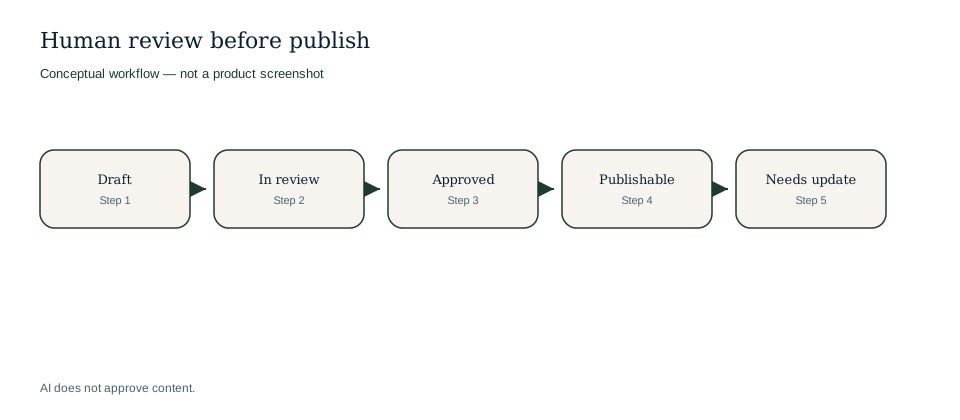
Audience-fit and accessibility pages depend on current approved guidance.
Conceptual workflow
Conceptual workflow for accessibility and audience-guide proof.
Visitors often need more than an event promise before they buy or travel. Audience and accessibility pages help them understand whether the event works for them, what support information exists and what to plan before the day.
Example only: these pages are useful when visitors need planning confidence before attending.
| Visitor question | Guide can explain | Review still checks |
|---|---|---|
| Is there step-free access and where do I enter? | Arrival, entrance and accessibility notes from approved sources. | Current route and operational changes. |
| Is the event suitable for families or first-timers? | Practical audience guidance and what to expect. | Suitability claims and any restrictions. |
| What support or facilities are available on site? | Approved venue and visitor support details relevant to planning. | Operational readiness and public wording. |
Visitor question
Is there step-free access and where do I enter?
Guide can explain
Arrival, entrance and accessibility notes from approved sources.
Review still checks
Current route and operational changes.
Visitor question
Is the event suitable for families or first-timers?
Guide can explain
Practical audience guidance and what to expect.
Review still checks
Suitability claims and any restrictions.
Visitor question
What support or facilities are available on site?
Guide can explain
Approved venue and visitor support details relevant to planning.
Review still checks
Operational readiness and public wording.
Explore connected Event Growth Studio workflows without leaving the creation and CMS cluster.
No. They are visitor-facing planning pages that help people understand whether the event works for them and what support information is available.
Yes. The same page family can support broader audience-fit and planning questions when those are important to the event.
Yes. Accessibility and audience guidance should stay current and should return to review when operational facts change.
No. The guide can clarify approved information, but it should not overclaim beyond what the event or venue can actually support.
Answer accessibility, first-timer, family, group or visitor-fit questions from approved operational sources.
Connect accessibility guidance to travel, venue and food or hospitality information where those questions overlap.
Keep changed access details or support information under review before publishing updates.
Practical clarity builds confidence.
Accessibility information must stay current.